
No. 03 — Skins
Make it yours.
Two built-in skins and every classic .wsz you already have.
01.1 — SkinBuilt in
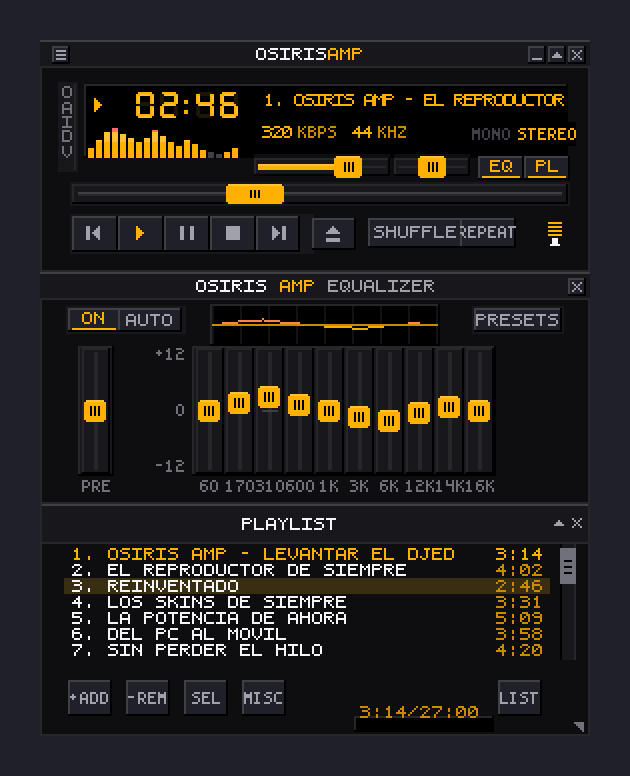
Osiris AMP
Dark, with an amber display. The one you will see the first time you open the player.
- Player, equalizer and playlist
- Seven-segment digits
- Made for dark screens
01.2 — SkinBuilt in
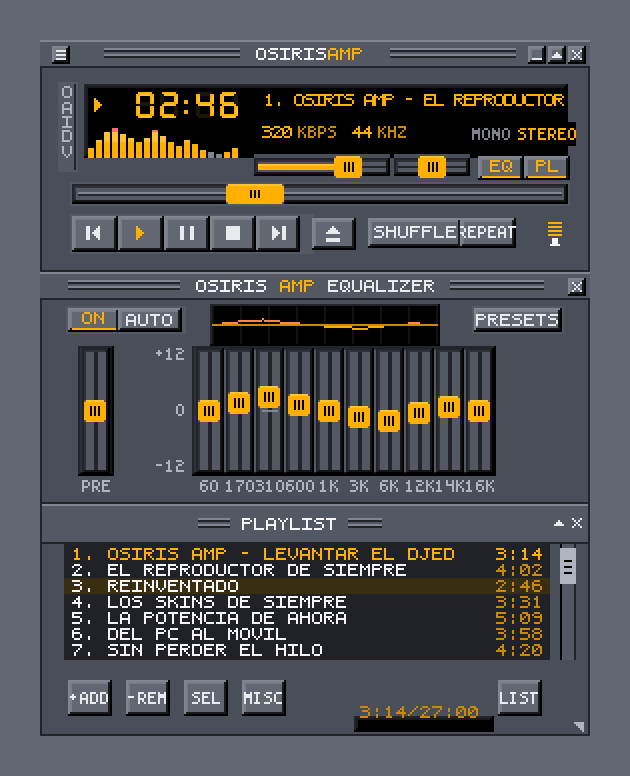
Osiris Classic
Grey, with the feel of a hi-fi deck. For those who prefer metal to black.
- Player, equalizer and playlist
- The same amber display
- Raised, physical-looking buttons
02 — Your skins.wsz format
The ones you already have, in three moves.
Step 01
Find your file
Any classic skin in .wsz format.
Step 02
Drag it
Drop it onto the player window.
Step 03
Done
It applies right away and we remember it for next time.
We don’t distribute third-party skins. The ones you load are yours and stay on your computer. A very old or broken skin may not look perfect; if that happens, write to us.
Coming soon
A place to share yours.
Skins made by the community, with their author’s name in plain sight. We will open it when we can review them one by one.
Notify me▶ Ready to play
Play your music. With your skin. Today.
Osiris AMP runs on Windows, Linux, macOS and Android. Try it tonight with your own library.
- Card required, no charge until day 15
- Cancel anytime
- Your music stays on your computer
- No ads